Version: 5/4/2017
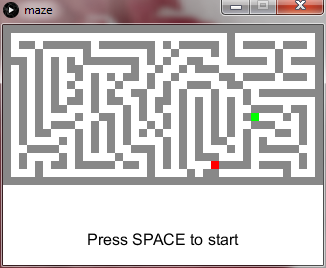
Here is a simple Processing program.
Have fun !
Buzz

Version: 30/09/2014
Few weeks after making the 256-in-1 cartridge, my friend ZX81 and I have decided to do something better.
We have made a new cartridge, containing up to 255 (Atari 2600) games or homebrews
Instead of using micro-switches to select the rom image, a bootloader and associated electronics have been added
The user power-up the console, highlights the game with the joystick and press fire to launch the game
Usage and restrictions
Warning : The bootloader is not included into the package.
Please go to my friend ZX81 web site to get it: http://zx81.zx81.free.fr
Have fun !
Buzz

Here is my ZX81 project : a remake of the famous ZX81 computer, based on the original schematics.
Warning : It has not been tested yet : it should be done in a couple of weeks.
Have fun !

Version 07/05/2014
Few months ago, I finished a new cartridge for the Atari 2600/7800.
This piece of hardware can be seen as a huge cartridge, containing up to 256 (Atari 2600) games or homebrews. Originaly, this board was made just to show something to users during a retro-gaming day (AC 2014). Because I had only one month to do it before the show, I decided to do something very simple and cheap.
Usage and restrictions
Enjoy !
Buzz

Version : 2014-10-13
This arduino sketch has been developped for my bartop project.
Just few words about my it. It is not yet finished but it is composed mainly by :
To manage the buttons, it is necessary to have an interface between buttons/joysticks and the PC in charge of the emulation. There are different solutions to do that.
Instead of re-inventing the wheel, I have chosen the Teensy ([Web site|https://www.pjrc.com/teensy]) as a developpement board. It is arduino compatible but it manages the USB natively. Because I need to manage at least 30 different keys, I have decided to add an input-mutiplexing interface to the Teensy (See IExpender project).
To go back to the sketch, it is very simple. It has been developped with Arduino 1.0.5 IDE to target a Teensy 2.0. Buttons should be connected to the interface (IExpender) according to the mapping table (See code).
Then the interface has to be connected to the Teensy board, and of course the Teensy to the PC
Have fun !
Buzz


Version 30/09/2014
When playing electronics with microcontrollers, you sometimes need to manage a lot of inputs (sensors or buttons).
Instead of using a bigger controller to have more IO ports, it is better or simpler to add extra components to it.
This piece of hardware, based on simple logic chips, uses 10 pins (8 bits for data and 2 bits for control) to manage 32 inputs.
In my case, I need this to connect 32 buttons to an arduino board.
Usage and restrictions
Enjoy !
Buzz

Version: 30/09/2014
A long time ago, I have created a Multicart for the Colecovision.
Now, it is time to do the same for a very nice console : Atari 7800 console.
For the moment, only a prototype has been made and I am still debugging it. I will post the full package when all bugs are fixed.
Keep in touch !
Buzz
Version: 25/04/2024 This application, recently installed in my NISSAN Patrol, can display: Speed, Cap, Altitude, Time and Date. It is based ...


